
Met Office weather app
Your refreshed Met Office weather app makes our forecasts and warnings clearer and easier to use.
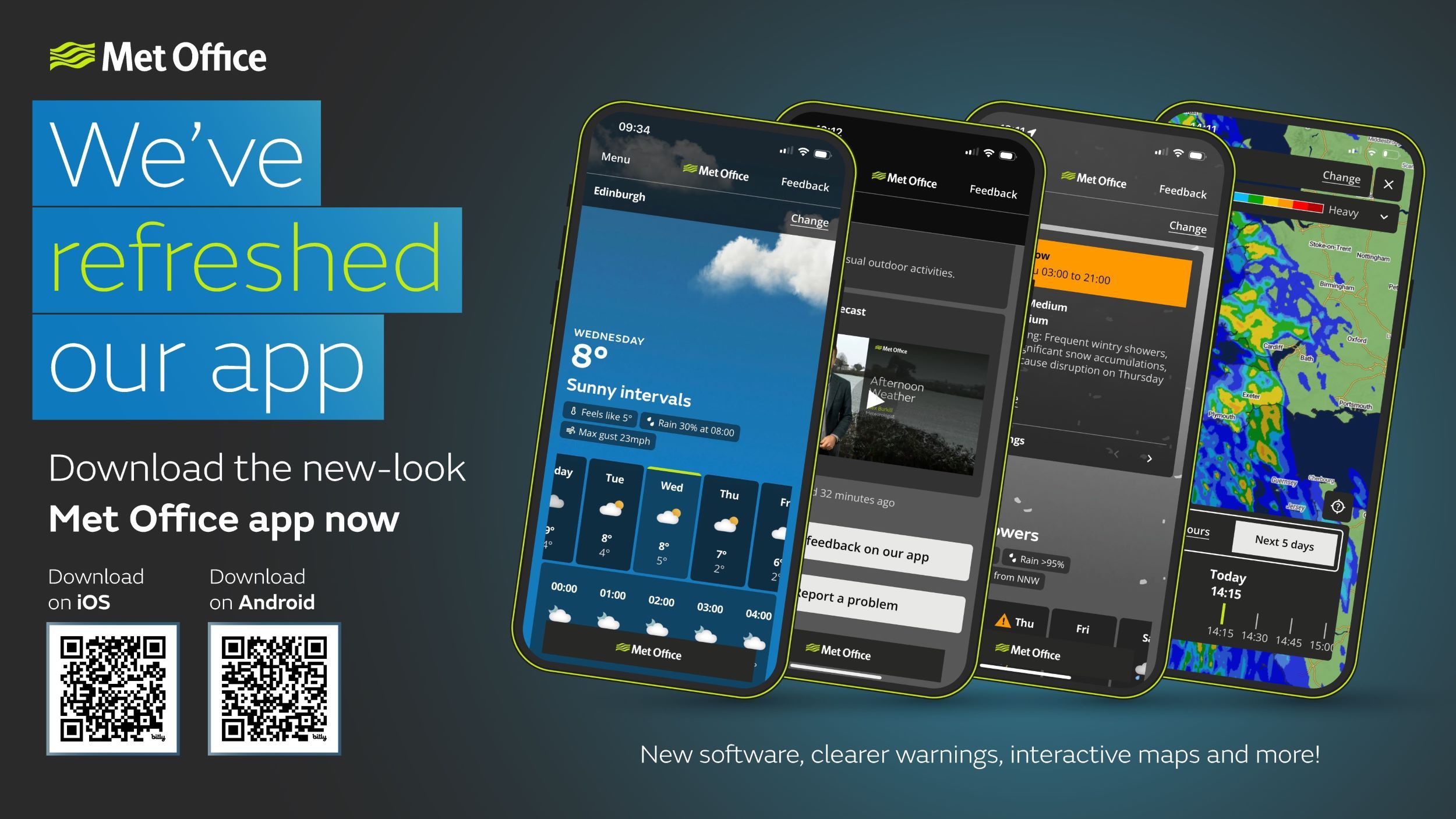
Download our refreshed app on an iOS device or an Android device now - and let us know what you think.
- Why have you changed the app?
- What are the refreshed app's features?
- How have you improved the app?
- Where can I get the refreshed app?
- How can I test new features?
- Can I continue using the old app?
- How can I provide feedback and report problems?
Why have you changed the app?
Since 2016, our Met Office app has kept millions of people safe and informed about the weather. But technology moves fast, and the old infrastructure had become increasingly complex making it harder for us to keep improving the experience for everyone.
Users told us they want a more modern and less cluttered design to help them get key weather information quickly and easily. We’ve listened and built from the ground up.
Launched in January 2026, our refreshed app uses a modern framework for faster updates and a unified design across iOS and Android. This means it’s more efficient, resilient and fit for the future.
It’s the same trusted weather information in a clearer, easier-to-read format. All to help you make confident and informed weather-related decisions.
The Met Office, in partnership with Made Tech, won Best Public Sector Project at the National Technology Awards 2026 for the app refresh.
What are the refreshed app's features?
With the new-look app you can:
- Download a daily or hourly widget, so you can see the latest forecast from your home screen
- Get instant alerts of warnings in your area and access all UK weather warnings via a single click
- Check the weather in your area for the next hour and up to 7 days ahead
- Save your favourite locations for quick access and notifications
- Explore interactive maps for cloud, rain, temperature and weather warnings
- Get more information, including feels-like temperature, UV, pollen, humidity, visibility, pressure and air pollution
- Access mountain and beach forecasts and safety advice
- Get regional forecasts for the next 5 days and the UK long-range outlook for up to 4 weeks ahead
- Watch our latest presented video forecast
- Give us your feedback to help us continually improve the app.
How have you improved the app?
Since launching the refreshed app in January 2026, we’ve made a range of user-driven enhancements to improve usability, personalisation and the depth of weather information available. These have included:
- Visual improvements: we refined the spacing to make key information easier to scan and enhanced the weather maps
- Data availability: we added ‘feels like’ temperature to the hourly view, introduced surface pressure data and unit options for temperature, wind speed and visibility
- Location management: we made it easier to find, save, compare and organise your locations
- Specialist forecasts: we added pollen, mountain, beach, regional and long-range forecasts
- In-app notifications to highlight new features and updates as they’re released.
Where can I get the refreshed app?
You can download our refreshed app from the App Store (Apple) or the Google Play Store (Android).
We would encourage you to set your device to update the app automatically. This means you’ll receive improvements and fixes as soon as we release them. Otherwise, you’ll need to manually update to get the latest version.
How can I test new features?
Our beta app is where we test new features before they are added to the main Met Office app. Real user feedback is essential to our understanding of how the app is being used and whether new features need refinement.
If you are interested in getting involved, you can download the beta app from the app stores - it is clearly indicated by a blue logo. While the forecast data is the same as our main app, new beta features - also clearly badged as beta - may not initially work perfectly and you may find bugs. Download our beta app on an iOS device via TestFlight or an Android device via the Google Play Store now - and let us know what you think.
Can I continue using the old app?
We retired our legacy app in July 2026, and so it is no longer available to use.
This means you won’t be able to get your latest forecasts and warnings through the app. But you'll still be able to get them on this website.
You can upgrade to our refreshed app by downloading it from the App Store (Apple) or the Google Play Store (Android).
How can I provide feedback and report problems?
You can give us your feedback and report problems via the buttons on the refreshed app. This ensures it goes directly to the developers, so they can fix bugs and enhance the app.
This webpage was last updated in July 2026.